

Introduction
Shopify Flow is powerful, but it only reacts to events inside Shopify. Flow Webhooks removes that limitation. It gives you a secure URL endpoint that external systems can POST to and when they do, your Shopify Flow workflow fires instantly, with the payload data passed in as usable variables.
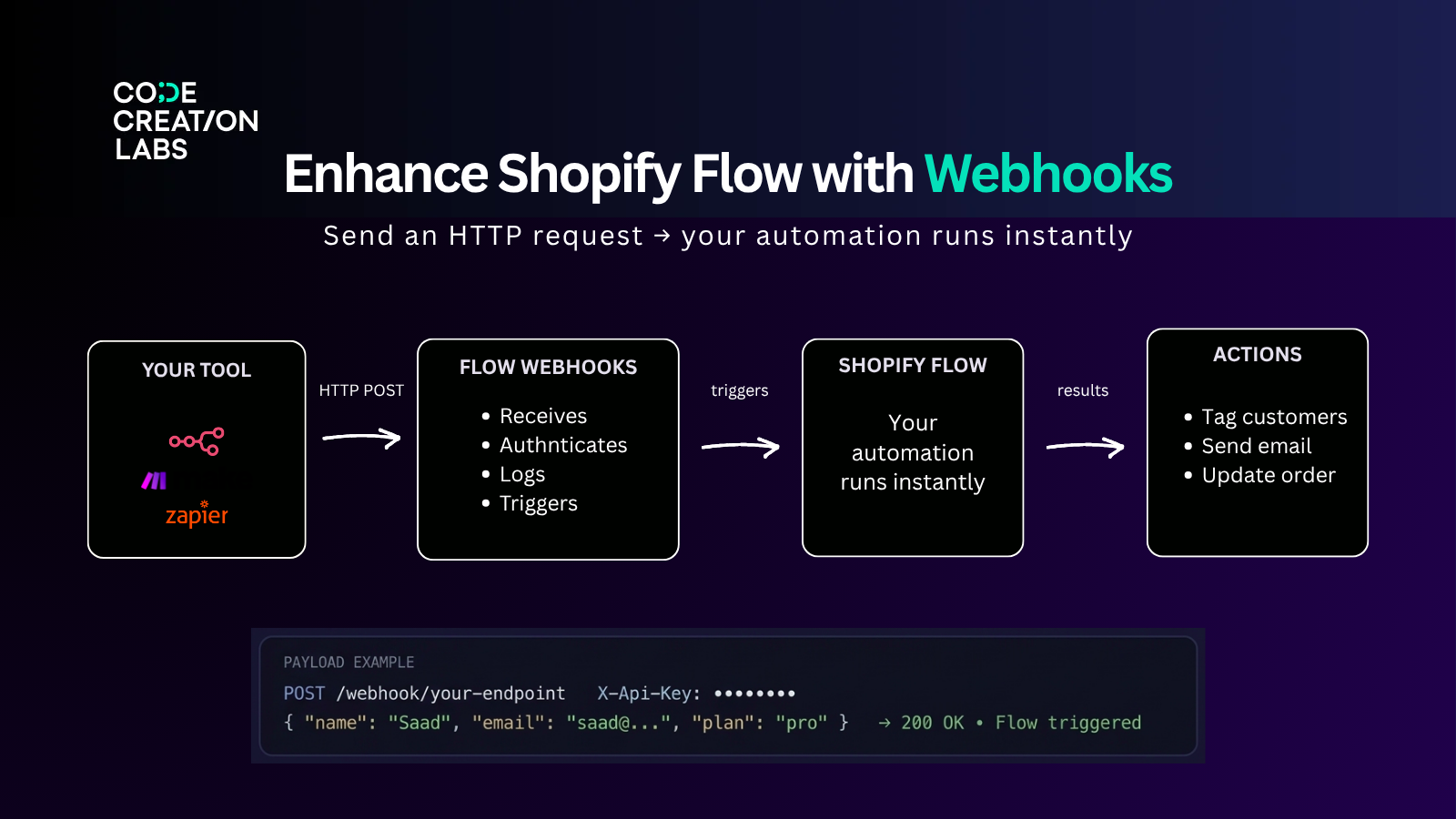
How it works
Your external tool sends an HTTP POST to your webhook URL with a JSON payload
(e.g. name, email, question). Works with n8n, Make, Zapier, or any HTTP-capable tool.Flow Webhooks receives it, authenticates the request, logs it with full headers
and payload, then fires the linked Shopify Flow trigger.Shopify Flow runs your automation tag a customer, send an email, update a
metafield using the payload data as named variables ({{fieldOne}}, {{fieldTwo}}, {{fieldThree}}, {{fieldFour}}) or you can also send some additional data if you mark the checkbox in the Flow WebhookSecurity → Allow Custom Request BodyOne webhook endpoint can power any Flow automation.
Features
Feature | Description |
|---|---|
Webhook triggers for Flow | Secure HTTP endpoints that start any Shopify Flow automation on demand |
Variable mapping | Map payload fields to Flow variables, reference as |
Authentication | Static Token (simple) or HMAC SHA256 (tamper-proof) |
Invocation history | Full log of every request. (timestamp, payload, headers, and status) |
CORS support | Enable for browser-based or frontend integrations |
Custom request body | Accept flexible payload structures from third-party platforms |
Webhook dashboard | Manage, monitor, and test all endpoints in one place |
Authentication
Method | How it works | Best for |
|---|---|---|
None | No authentication | Testing only, not production |
Static Token ✓ | Fixed token in | Most integrations (n8n, Make, Zapier) |
HMAC SHA256 | Signature from payload + secret key | High-security or compliance |
Variable mapping
Flow Webhooks lets you map fields in your incoming JSON payload to named variables
that Shopify Flow can use. Define up to 4 field names in the Advanced Settings tab. You can also send some additional data if you mark the checkbox in the Flow Webhook Security → Allow Custom Request Body
Field in app | Your payload key | Reference in Flow |
|---|---|---|
Field 1 |
|
|
Field 2 |
|
|
Field 3 |
|
|
Field 4 |
|
|
Common use cases
Tag or update a Shopify customer when a form is submitted externally
Trigger order or fulfillment actions from an n8n or Make workflow
Sync contact data from a CRM or helpdesk into Shopify when a record changes
Start a Shopify Flow when a Zapier automation completes
Fire automations from a frontend form (with CORS enabled)
Replace multiple single-purpose integrations with one unified webhook manager
What merchants say
"This app makes Shopify Flow 5x more useful. The developer is super easy to reach
and extremely helpful." — SuperFast Startup, Portugal
"The missing piece for Shopify Flow — you only need one Flow to work with all
your webhooks." — Senkels, Austria
"Exactly what I was trying to solve via a bunch of third-party apps. Highly
recommend." — Aloha Tinyboards, United States
Install in your Shopify store from Shopify app store
Support
You can reach out to [email protected] or join our Apps Slack Workspace here